“What does this mean?”
Read helpful context beside the question, and be clear when you need more information.
 SuperSmart
Super Smart Forms
In developmentA complicated form should not leave you figuring everything out on your own.
Super Smart Forms guides you through specialized questions, then uses your own answers to populate the actual form for professional review. Help stays beside the question, and your office stays within reach.
Your confirmed answers drive the form. Your information. Your final say.
From a difficult process to a real document
The goal is to make specialized paperwork easier to understand and complete, with useful guidance throughout the process.
Plain-language questions and contextual help explain what is being asked. When something is unclear, flag it or ask your office.
Provide your information in your own answers. Save your progress, explain a gap or say “I’m not sure” so it can be reviewed.
The application uses the saved, confirmed answers to populate the required form for professional review. Form generation does not guess missing facts.
Shown in the private FL-145 build. Current generated PDFs are internal-review drafts; signing, service and filing remain separate.
See the guided workflow
Real screens. Real workflow states.
A look inside the private build.
Actual private-review application, shown with fictional sample information. Firm branding is excluded from the captures; the interface itself is preserved.
Read the film transcriptGuidance throughout the process
A specialized form can assume knowledge you have never needed before. Explanations, saved progress and a connection to your office help you work through those gaps without making up an answer.
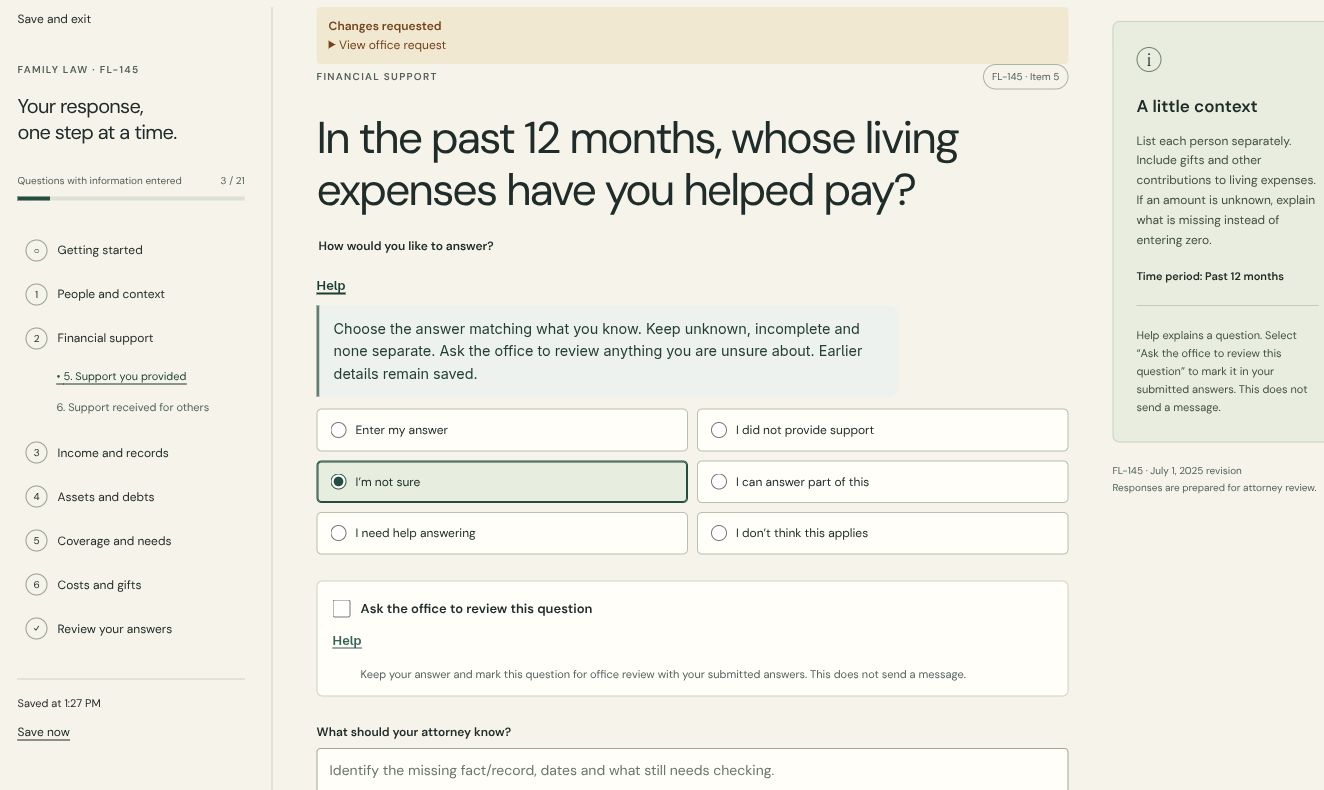
Read helpful context beside the question, and be clear when you need more information.
Keep client-to-office conversations in the workspace, alongside the assigned work.
Show the saved state, the office’s review status and the next preparation task.
Planned / Optional connected assistance
We’re exploring connections to assistants people already use, such as ChatGPT and Claude. This is a proposed capability, not an available integration.
A connected assistant would help explain what is being asked and identify information you may still need.
With your permission, it could help organize facts you provide and draft wording for you to review. Missing facts would stay unresolved.
You would review, edit and explicitly confirm a draft before it becomes a saved form answer. The assistant would not submit or approve the form for you.
Proposed connections would be optional, with clear choices about what information is shared. Provider access, privacy controls and implementation still need to be established.
01 / A clearer client experience
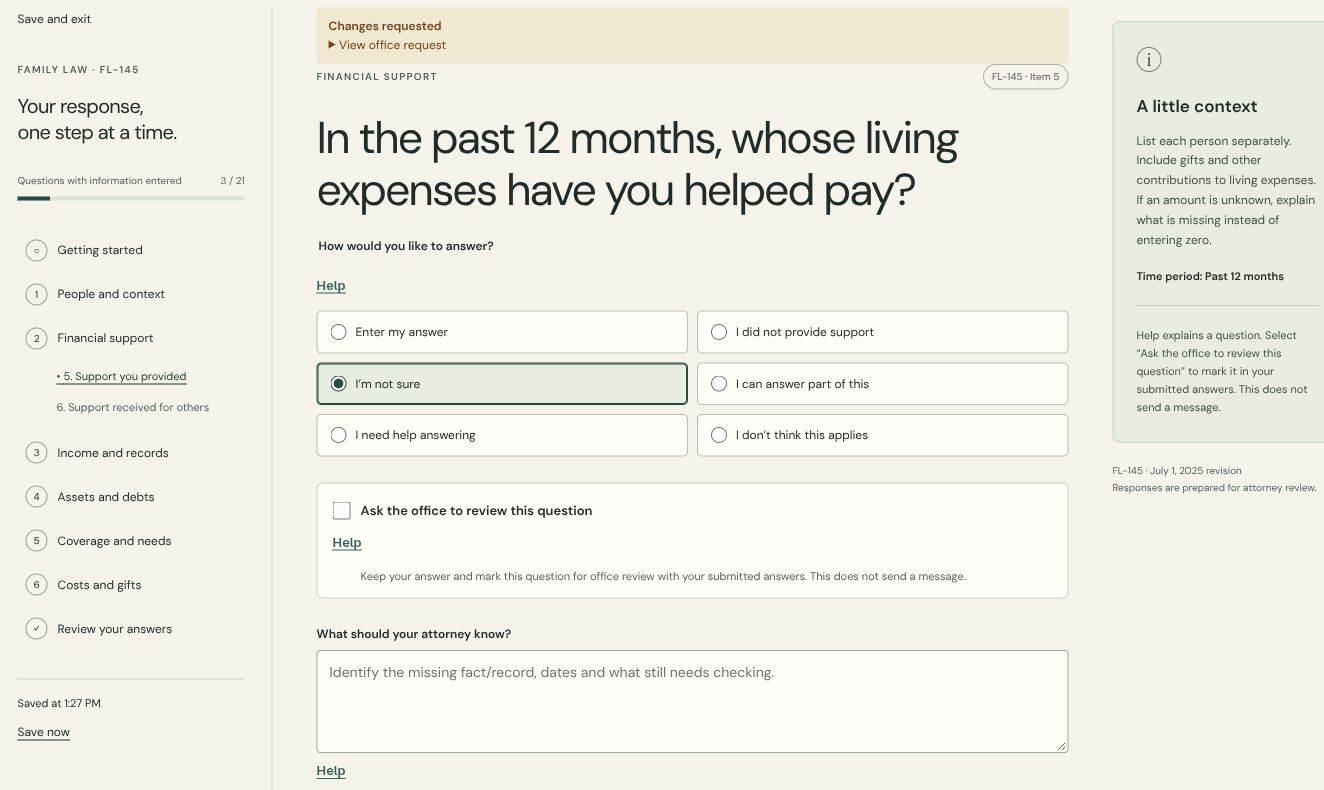
Guided questions put the form into everyday language. Clients can distinguish an incomplete answer from “none,” use contextual help and flag a question for office review.
The saved example below shows an uncertain answer, an existing correction request and help beside the question. No answers were changed for this demonstration.
02 / Pick up the thread
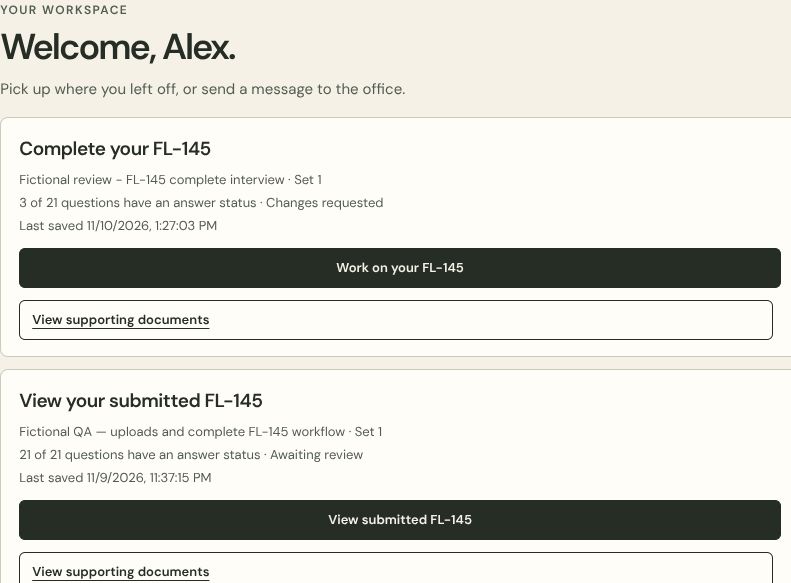
The client workspace brings assigned forms, saved progress and office status into view. Working answers and submitted answers have different entry points.
Alex’s fictional account shows one interview with changes requested and another already submitted for review. These are existing test states, not usage statistics.
03 / A useful professional overview
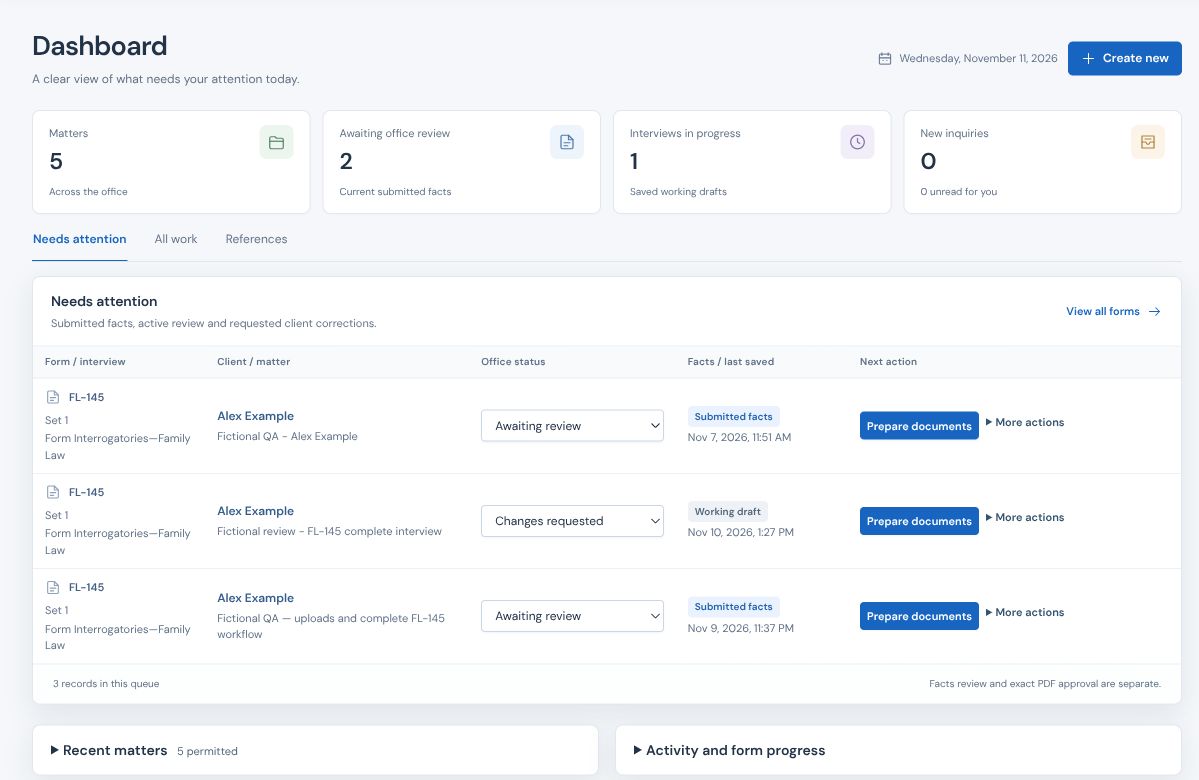
The office queue brings submitted facts, active reviews and requested corrections together. Each record keeps the client, form, saved state and preparation action in context.
04 / Keep the conversation close
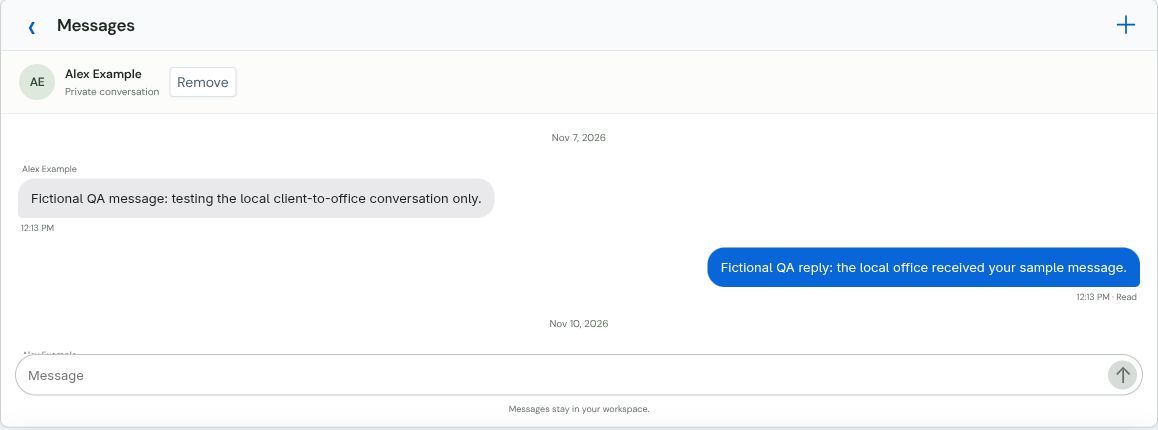
Clients and authorized office users can read their conversation history in the workspace. The office inbox keeps replies and read states visible.
This is the existing fictional QA exchange viewed from the office. Messages are separate from question-review flags, so each has a clear purpose.
05 / Create the actual form
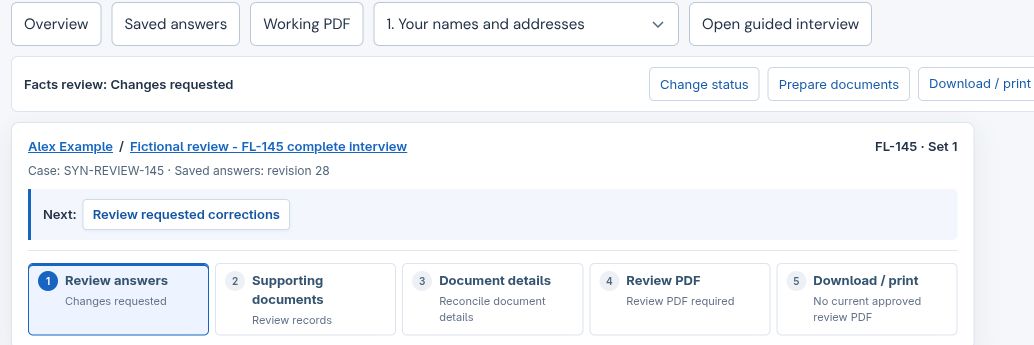
Saved customer answers populate the form through the document-generation workflow. The office reviews the answers and document details, checks the resulting PDF, and prepares the document for download or print.
The customer supplies the factual answers; the office manages preparation and review. Facts review and exact PDF approval remain distinct, with signing, service and filing handled separately.
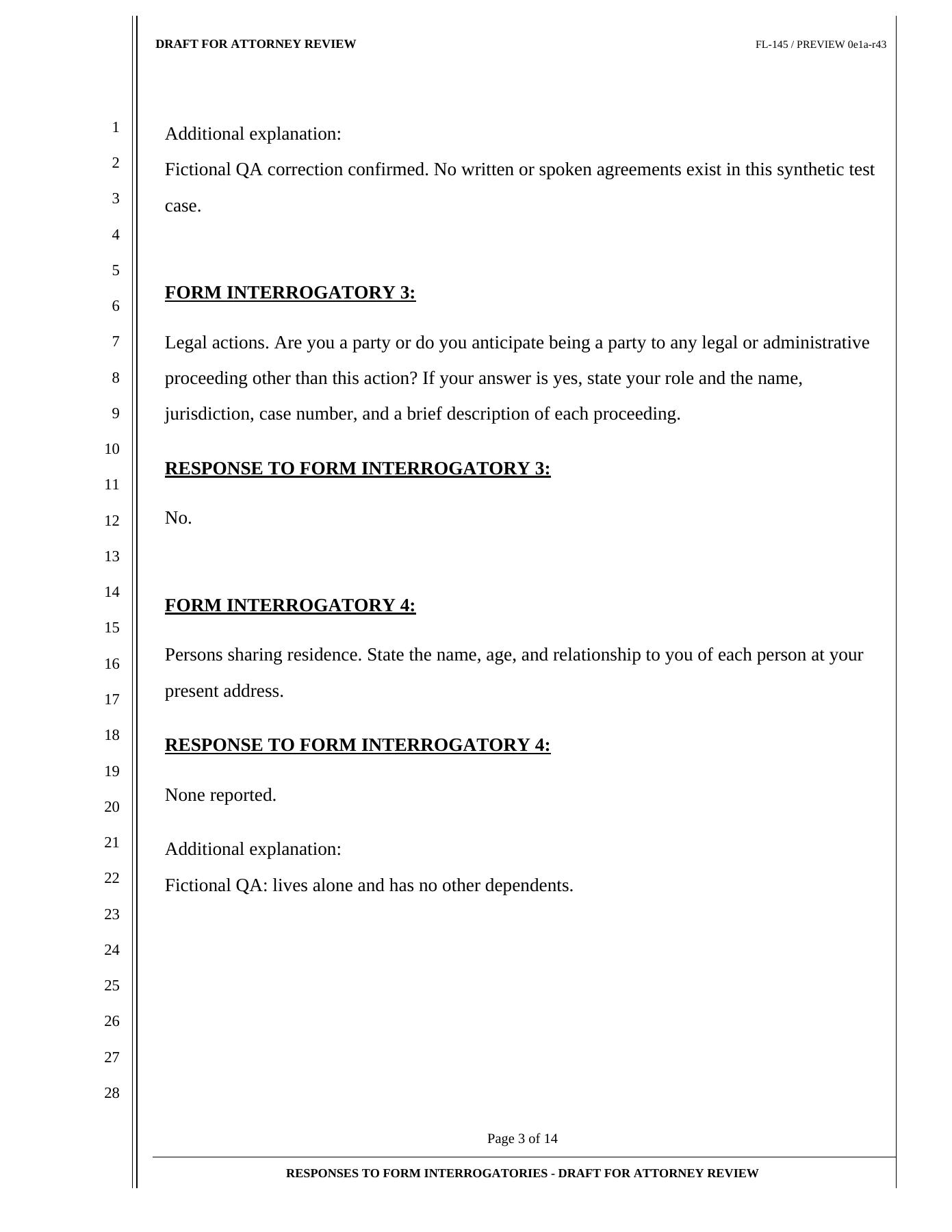
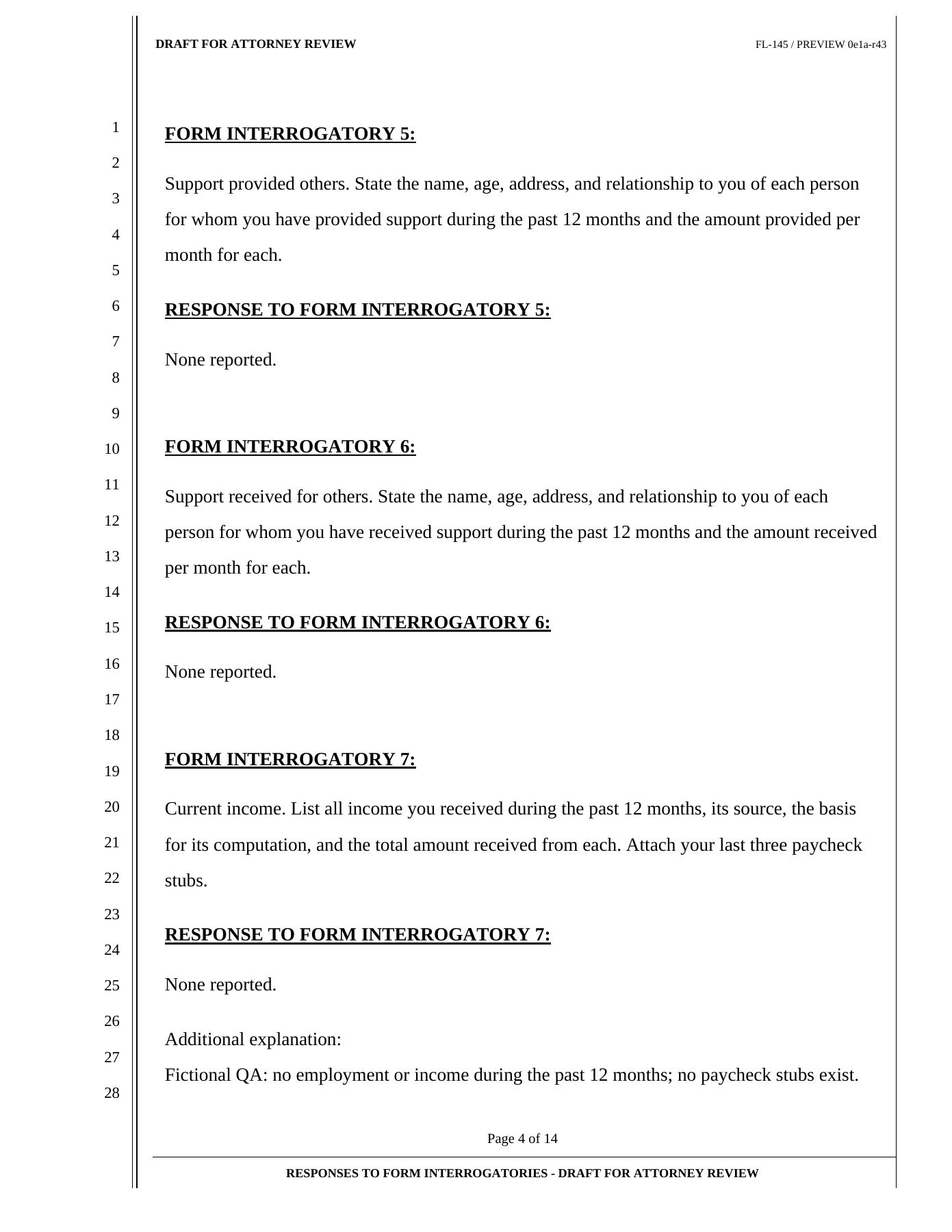
Actual output / Existing fictional-data PDF
These are pages from the existing 14-page FL-145 response PDF generated from submitted revision 43. The draft markings are preserved. This is a response packet, rather than an image of a filled official FL-145 blank.
Demonstrated, with a clear boundary
The captures show existing client and office workflows in the private FL-145 review environment, using fictional records.
Super Smart Forms is not available for public use. Further testing and review are still needed before release, and broader form coverage remains in development. There is no public release date to announce.
A few useful answers
The current form-generation workflow uses saved customer answers. A planned optional connection could let an assistant explain questions and draft wording from customer-provided facts. You would review, edit and explicitly confirm that wording before it becomes a saved answer. Missing information would not be invented, and the assistant would not submit or approve your form. These connections are not available in the current product.
Yes. The private build has a document-generation workflow that populates the form from saved answers for professional review. Current FL-145 PDFs remain internal-review drafts. This does not establish public availability or readiness for court use.
Yes. They were captured from the real private review build with existing fictional test accounts and records. Cropping removes firm identity, and SuperSmart framing is added around the captures. The interface text and workflow states have not been rewritten.
The product is in private development and is not open for public use. This marketing page does not provide application access, client intake or document uploads.
No. “Ask the office to review this question” marks the question with the submitted answers. Client-to-office messages use the separate conversation feature.
No. Submitting information, professional review, exact document approval, signing, service and court filing are distinct steps. This demonstration does not establish court-use readiness.
A specialized form can feel like a language of its own. Super Smart Forms makes the process easier to follow. Answer one question at a time, with explanations beside you and your office within reach. Your saved answers become the actual form, populated with your information for professional review. No guessing missing facts. Here, the private build creates an FL-145 review PDF from fictional customer answers. Next, we're exploring optional connections to ChatGPT and Claude: help understanding questions, and drafting from facts you provide. You review, edit, and confirm every answer. Planned assistance. Your final say. Super Smart Forms. In private development.
Your work. Your way.
SuperSmart creates websites, visual identities and custom digital tools through personal business partnerships.